The best app for a tailoring business: what to look for, and how easy VirtueTailor is
What makes a tailoring app good for a real shop, and a screen-by-screen look at how easily VirtueTailor runs orders, measurements, delivery and receipts.
VirtueTailor5 min read
The short answer
The best app for a tailoring business is the one your whole shop will actually use: it saves measurements per customer, shows every garment's stage, keeps delivery dates honest and sends receipts on WhatsApp, in your own language. VirtueTailor is built around exactly that, is free to start, and runs on Android, iPhone and the web.
Most shop software is too hard for a busy counter
A tailor has a customer standing in front of them and cloth in their hands. If an app needs long forms or a training course, the notebook comes back within a week, and with it the lost measurements and forgotten balances.
Easy means fewer taps at the counter
- One dashboard for the whole shop
- One board for every garment
- Measurements on an on-screen tape
- Neck, sleeve and closure picked from pictures
- A delivery calendar that shows how full you are
- Receipts sent on WhatsApp
What makes a tailoring app the best one for your shop?
We make VirtueTailor, so read this with that in mind. The fair test for any app, ours included, is whether it passes these five checks in your own shop.
- Made for stitching. Garments, stages and measurements, not a general billing app with a tailoring label.
- Easy at the counter. An order goes in while the customer is still there.
- Works for the whole team. Masters can read it in their own language.
- Runs on the phone you own. No computer needed to start.
- Free to try. You should see it working on real orders before you pay.
For a longer list, read the buyer's checklist.
Your whole shop on one screen
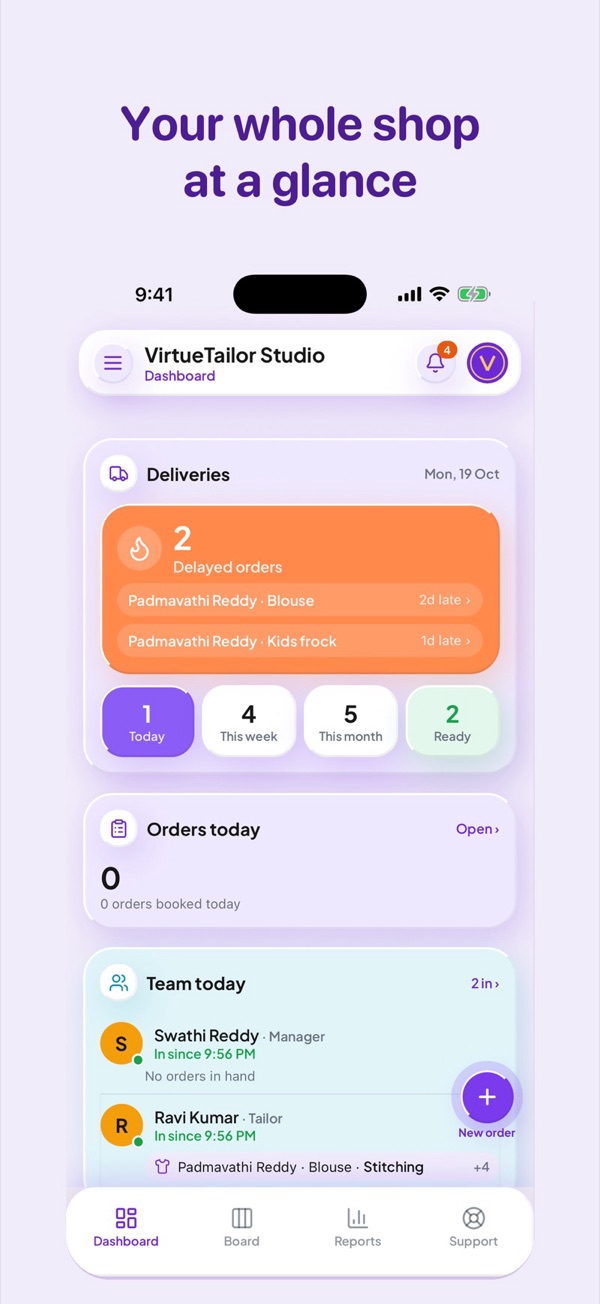
Open the app and the dashboard answers the owner's first questions: what is late, what is due today and this week, what is ready, how many orders came in, and who on the team is in.
Every garment on one board
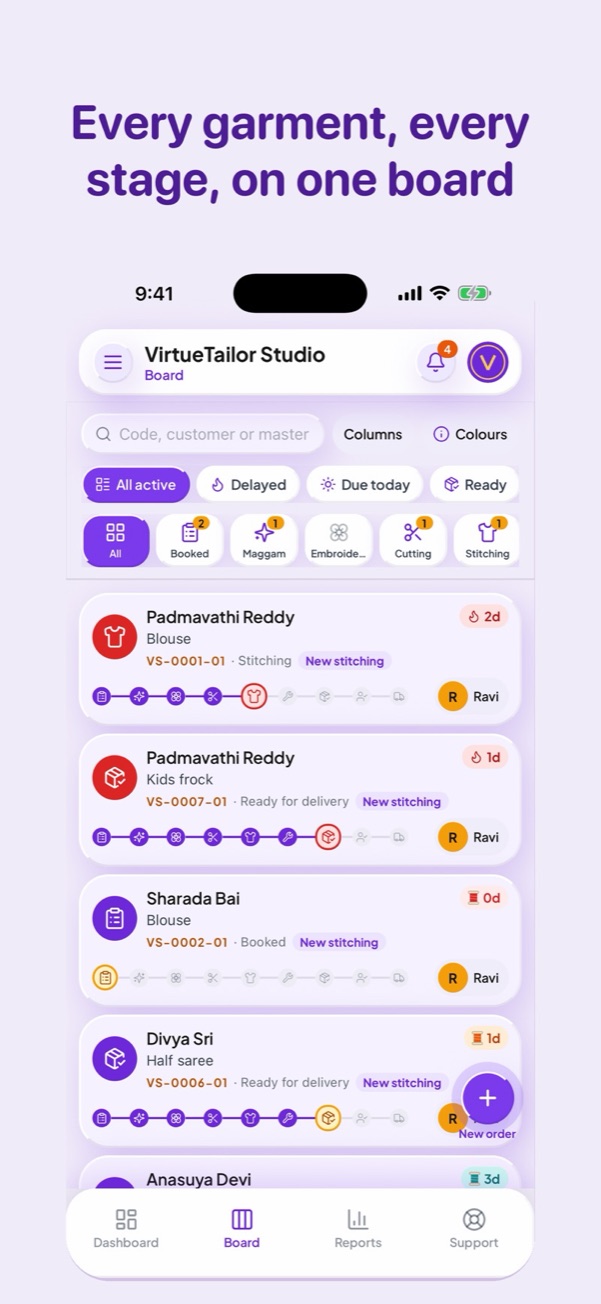
Nobody has to walk to the workroom to ask where a blouse is. Each garment is a card with its customer, its code, its master and its current stage. Filter by delayed, due today or ready, or search by code, customer or master.
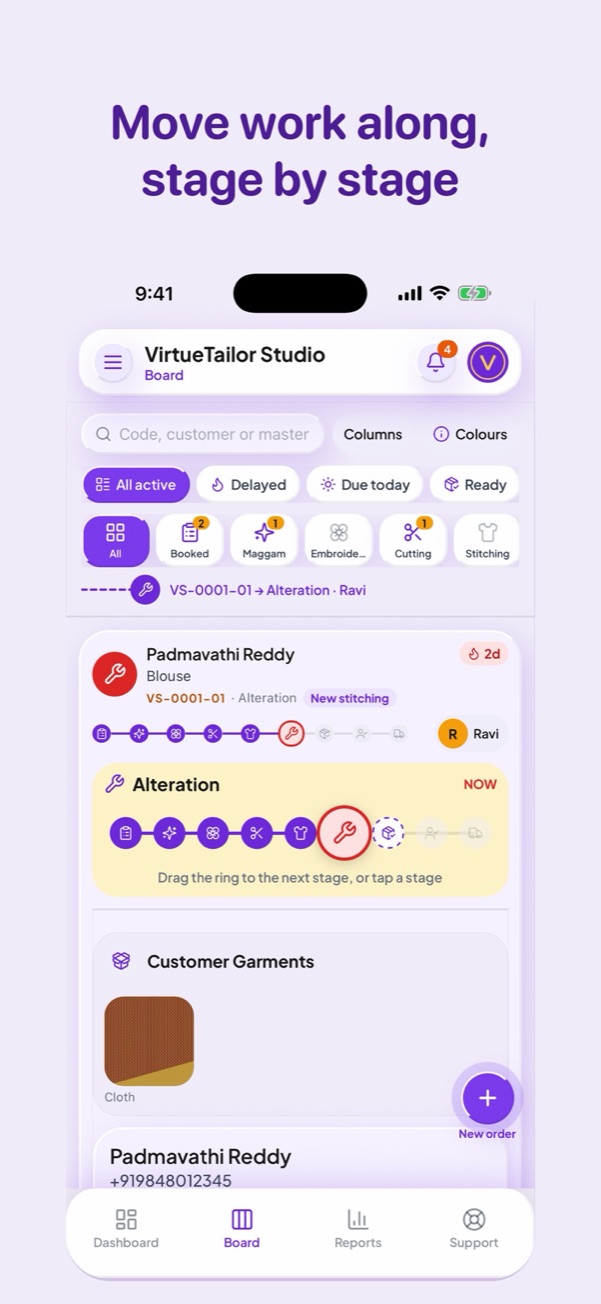
Moving work along takes one gesture. Open the card, then drag the ring to the next stage or tap a stage. Read more about tracking garments on a board.
Design the garment with pictures, not paragraphs
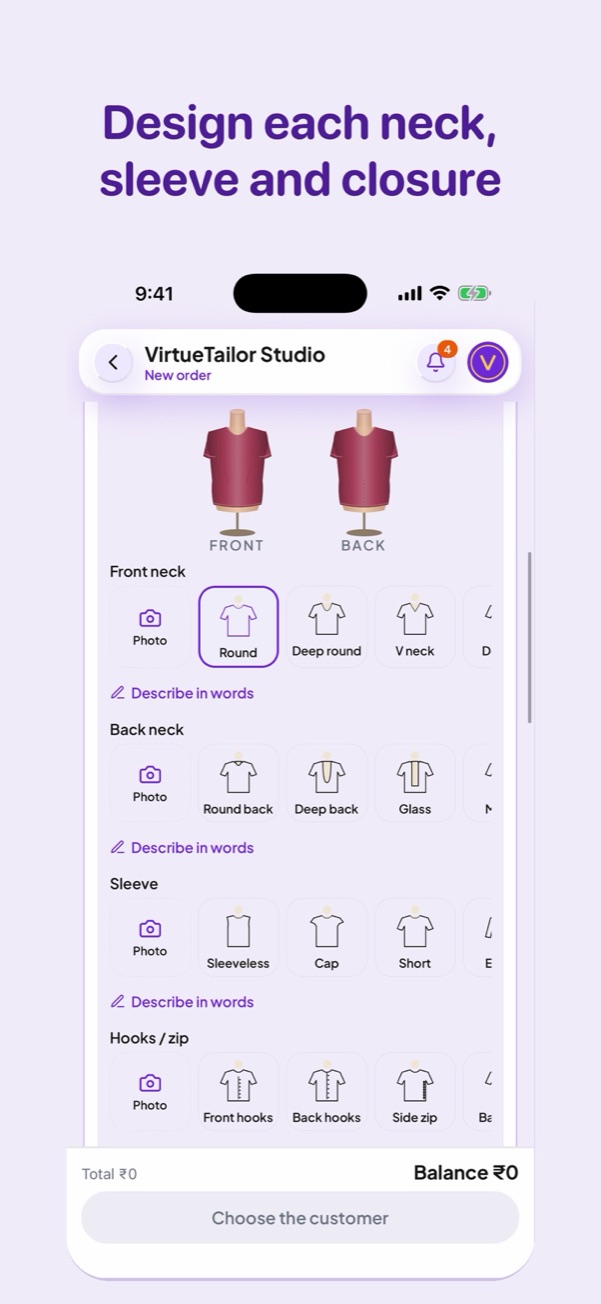
Front neck, back neck, sleeve, hooks and zip are all chosen by tapping a picture. If the customer wants something else, add a photo or describe it in words. The master sees the same choices, so less is lost between the counter and the cutting table.
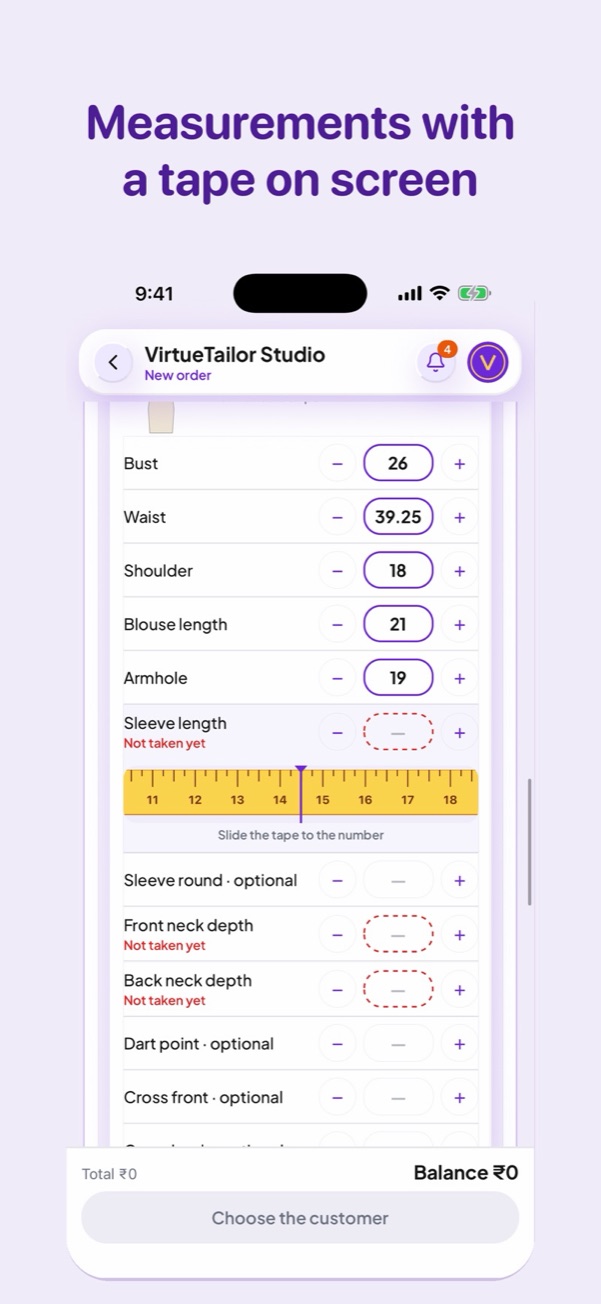
Measurements with a tape on the screen
Type a number, tap plus or minus, or slide a tape on the screen. Anything required but still empty is marked "Not taken yet", so a missing measurement is seen at the counter and not at cutting. Measurements stay with the customer for the next order. See how to replace the measurement book.
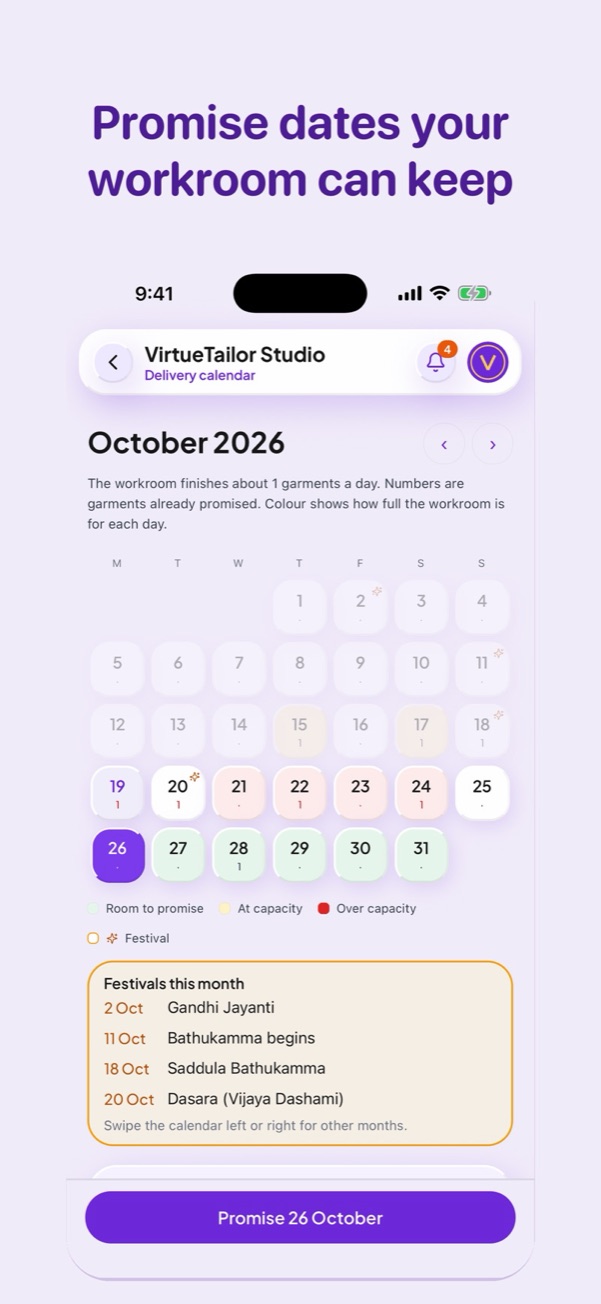
Promise dates your workroom can keep
Before you promise a date, the delivery calendar shows how many garments are already promised for each day, and colour shows how full the workroom is. Festivals for the month are listed too, so a rush can be seen coming.
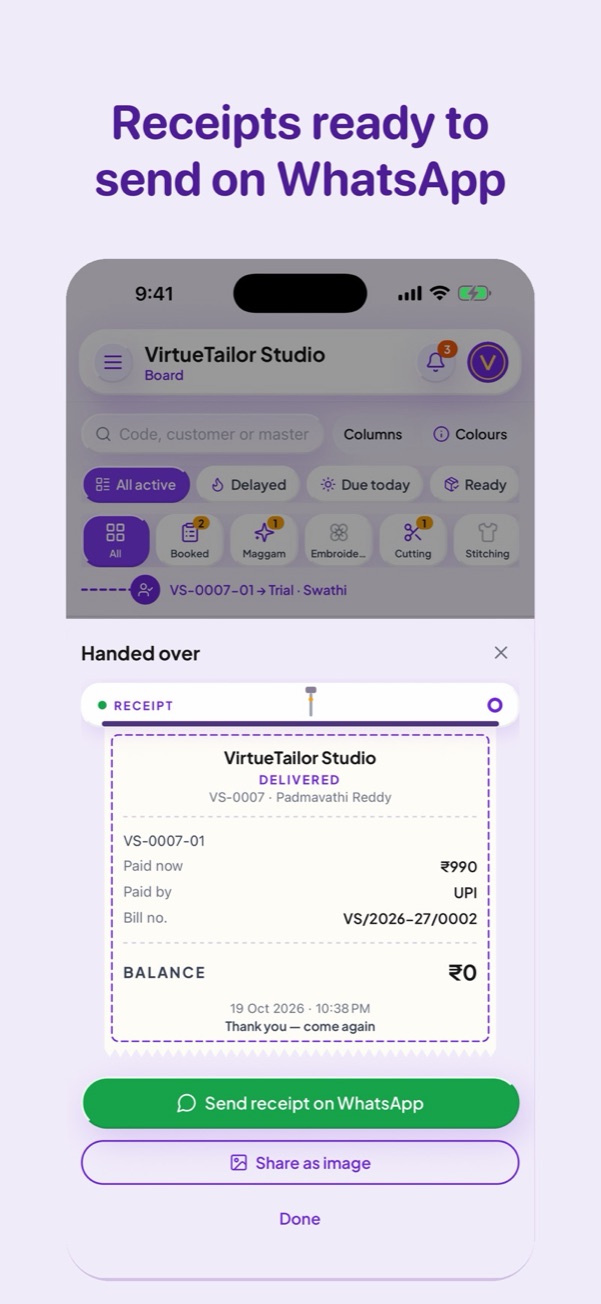
Hand over and send the receipt
When the garment is handed over, the receipt is ready with what was paid and any balance. Send it on WhatsApp or share it as an image, and the customer has a record without any paper. More on advance and balance tracking.
How to try it in your shop
Install VirtueTailor Pro
It is on Google Play and the App Store. The links are at the bottom of this page.
Book today's orders in it
Start with new orders only. There is no need to copy the old notebook first.
Add your masters
When you are ready, give each master a login to see their own work.
Questions
Which is the best app for a tailoring business?
The one your whole shop will really use. Look for measurements saved per customer, garment tracking through your stages, UPI and WhatsApp, and your own language on a phone. VirtueTailor does all of these and is free to start, so you can test it on real orders.
Is VirtueTailor easy for someone who is not good with phones?
It is made for that. Garment details are chosen from pictures, measurements go on an on-screen tape, stages move with one gesture, and each person can use the app in their own language.
Does VirtueTailor work on iPhone and Android?
Yes. VirtueTailor Pro is on the App Store and Google Play, and the same account also opens in a web browser on a computer.
Is the app free?
It is free to start. Paid plans add more as your shop grows.
Try it in your own shop
Free to start. Our team will help you bring your customers and measurements in.